Your Private Chat Server
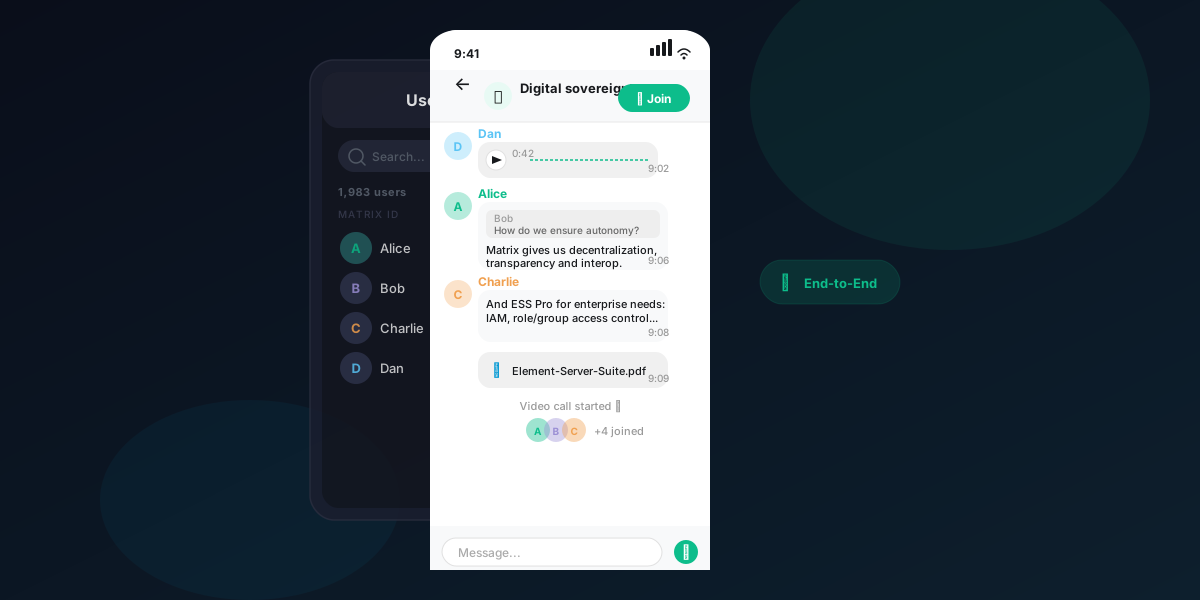
NexiHost provisions and manages a dedicated Matrix server for your organisation — fully encrypted, self-hosted, and exclusively yours. No data leaks, no third parties, no compromises.
End-to-End Encrypted by Default
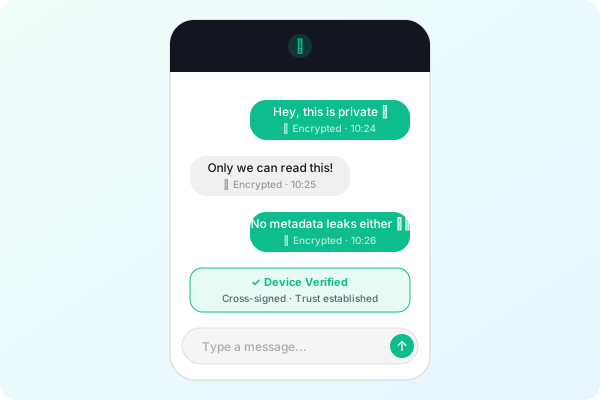
Every message on your server is encrypted end-to-end. Only the participants in a conversation can read it — no service provider, no administrator, no one else. Your communications remain private by design.
- E2E encryption on every message and call
- Cross-signed device verification
- Secure key backup — your organisation owns the keys
Your Server, Your Data
Your Matrix server runs on dedicated infrastructure — isolated, not shared, not public. All messages and files remain on your server. No third-party platform has access to your data.
- Dedicated server — isolated from other tenants
- All data stored on your own infrastructure
- Full administrative access and control
Works on Every Device
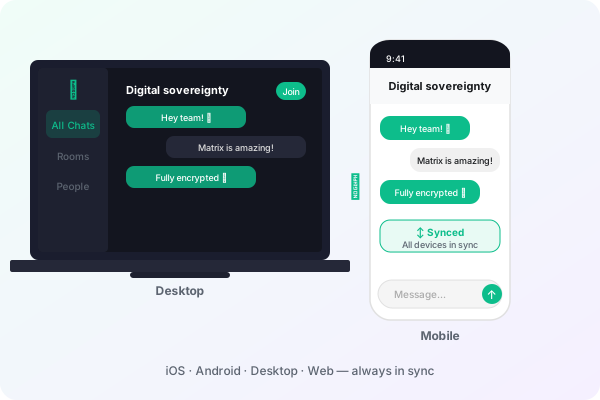
Your team can connect from any device — iPhone, Android, Mac, Windows, Linux, or browser. One server, all platforms, with seamless real-time sync across every client.
- iOS, Android, desktop and web clients
- Messages sync instantly across all devices
- No vendor lock-in — compatible with any Matrix client
What is the Matrix Protocol?
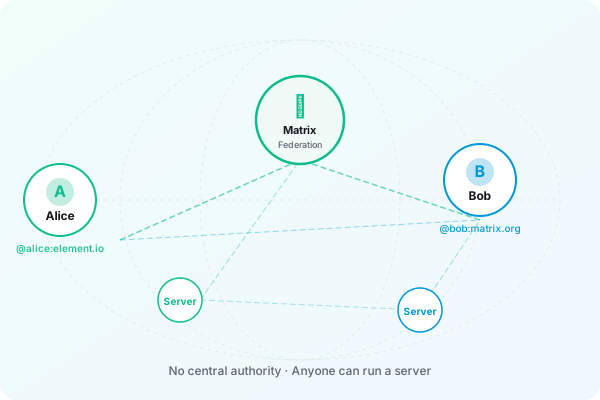
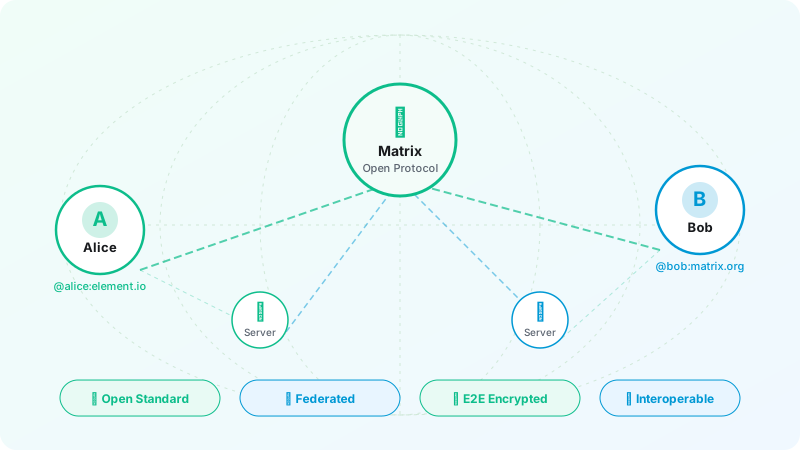
Matrix is an open standard for secure, decentralised real-time communication. Unlike Slack, Teams or WhatsApp — which store your data on their own servers — a self-hosted Matrix server keeps your conversations on infrastructure you control. Messages are end-to-end encrypted, meaning even the server operator cannot read them. Think of it as a private, enterprise-grade messaging platform with no per-seat fees and no data harvesting.
Why a Private Server?
Zero Data Leaks
All messages are stored exclusively on your own server — not on Slack's infrastructure, not on WhatsApp's. Your organisation controls access. No third party can read, monetise, or disclose your data.
Full Control
Your organisation owns the server, the data, and the encryption keys. Define your own access policies, onboard your team, and eliminate vendor dependency.
Connect Anywhere
Your server can federate with the broader Matrix network or operate in a fully isolated, private mode — the choice is yours.
Pricing.
One-time setup fee + monthly management. Transparent pricing, no hidden costs.
Basic
For individuals or small teams of up to 20 users.
- Up to 20 users
- Standard deployment
- End-to-end encryption
- iOS, Android & web access
- Email support (48h response)
- Monthly backups
Professional
For growing teams of up to 70 users.
- Up to 70 users
- Custom branding (logo, theme, landing page)
- End-to-end encryption
- Custom domain (bring your own)
- Priority support (24h response)
- Weekly backups
- Performance optimisation
- Monthly reports
- Training session (2 hours)
Enterprise
Fully managed solution for large organisations.
- Unlimited users
- Full customisation
- End-to-end encryption
- Custom domain (bring your own)
- 24/7 dedicated support
- Daily backups
- Custom integrations
- On-site training
- Uptime SLA guarantee
Domain options
Domain renewal pricing: year 1 is discounted — renewal rates typically double from year 2 onwards. NexiHost will notify you before any renewal.
Already have a domain (e.g. yourcompany.com)? NexiHost configures the DNS and deploys your Matrix server on a subdomain such as chat.yourcompany.com.
~$30/yr from yr 2
No domain yet? NexiHost registers and manages a domain on your behalf (e.g. yourteam.chat or yourcompany.im). Year 1 is discounted — renewal rates apply from year 2.
Route your server through Cloudflare for enterprise-grade DDoS protection, faster global response times, and an additional security layer between the public internet and your Matrix server.
- DDoS mitigation — automatically absorbs large-scale attacks
- Conceals your server's real IP address from the public internet
- Global CDN — reduced latency for users worldwide
- Automated SSL certificate provisioning via Cloudflare
- Bot and threat filtering before traffic reaches your server
All plans include server monitoring, security updates, and technical support. Need a tailored solution? Contact us
Get Started.
Set up your account in minutes — no phone number required.
Download Element X
Install the app and tap "Create account" on the welcome screen.
Select your server
The default server (matrix.org) is pre-selected. Tap "Continue" to proceed, or tap "Change account provider" to connect to your own server.
Enter a custom server (optional)
Enter your homeserver URL (e.g. nexi.blog) in the "Homeserver URL" field, then tap "Continue".
Confirm your server
The app will display the server your account will be created on. Tap "Continue" to proceed to registration.
Authorise the app
A system prompt will request permission for Element X to use your server for authentication. Tap "Continue" to proceed.
Sign in
Enter your username and password, then tap "Continue". New user? Tap "Create Account" to register.
Create an account
Enter your username, password, and password confirmation, then tap "Continue" to complete registration.
You're all set
Your account is ready. Start communicating securely on the Matrix network.
Download.
Get the Element app and connect to your private server from any device.
Contact.
Have a question or ready to get started? Send us a message.
Or reach us directly at: nexihost@protonmail.com